Picture the scene.
A customer is standing in front of a piece on your stand at a fair.
They're interested. They lean in to read the little handwritten label.
And then comes the moment every dealer knows: they take out their phone and start photographing the item, then photographing the label, hoping they'll be able to make sense of it all later that evening.
Or worse, they don't. They simply walk away and hope they'll remember.
We've just made that moment far more useful for both of you.
Introducing printable price labels and cards
You can now print professional price labels and display cards for any item in your stock, directly from our stock management system.
No typing the details out again. No fiddling with a word processor. No handwritten cards that have seen better days.
You select the item, you choose the size, you print.
Each label or card can include:
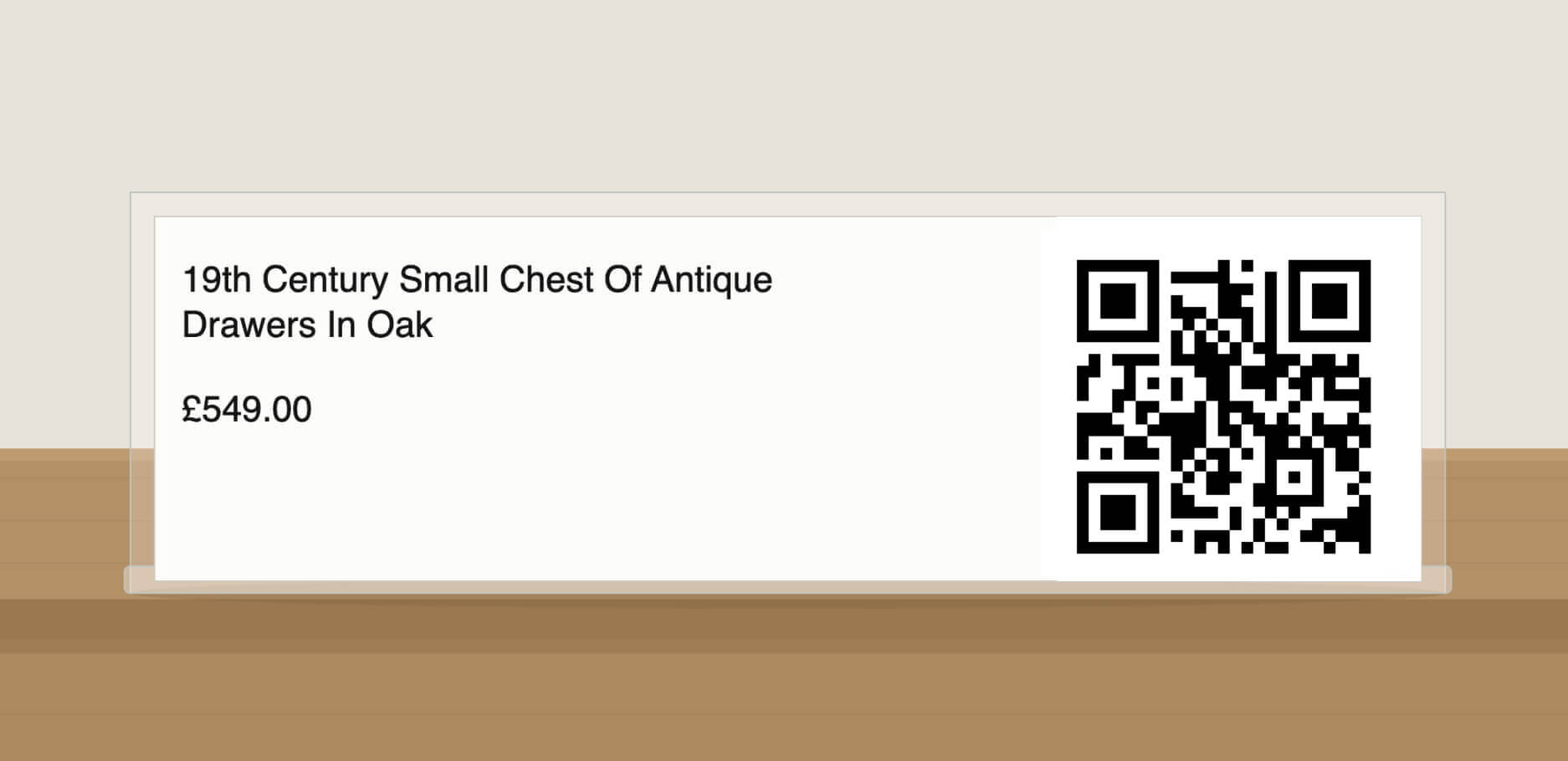
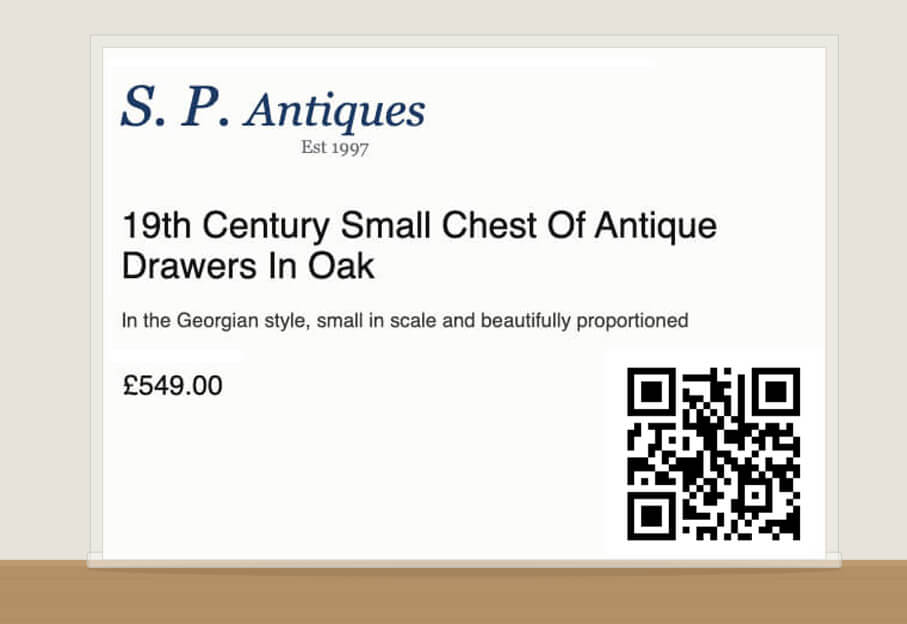
1) The name of the item
2) The price
3) The description
4) Your logo
5) A QR code that takes the customer straight to that item on your website
That last one is where it gets interesting.
Why the QR code changes things
When a customer scans the QR code on your label with their phone, the item's page on your website opens up instantly.
Which means they get:
1) Every photograph of the item, not just the angle they can see in front of them
2) The full description, including dimensions, condition, provenance and any other detail you've written
3) A page they can bookmark, share or come back to that evening
4) A direct route to your website, where they'll see everything else you have for sale
Think about what that means at a fair.
The customer who says "I just need to think about it" now has the item saved on their phone, on your website, with your business name on it.
Not a blurry photograph of a price tag.
The interior designer who says "I need to check with my client" can send the item's page over in seconds, from your stand, while they're still standing in front of it.
Instead of hoping someone remembers you, you're going home with your stock sitting in their phone.
Four sizes, for four different jobs
We've launched with four sizes, and each one has been designed for a slightly different purpose.
| Size |
What's included |
Best for |
| 28mm x 89mm |
Title, price, QR code |
Small labels for smaller items, jewellery, silver and ceramics |
| 38mm x 132mm |
Title, price, QR code |
Slightly larger labels where you need a little more room |
| A6 |
Logo, title, short description, price, QR code |
Display cards to stand next to an item on a stand or in a cabinet |
| A5 |
Logo, title, full description, price, QR code |
Larger display cards for statement pieces and furniture |
The two smaller sizes are label sizes, so they work neatly for items where a discreet tag is all you need.
The A6 and A5 options are display cards. Print them on a decent card stock, pop them in a small acrylic stand or a card holder, and you have something that looks considered and professional next to the piece itself.
And because your logo is on the A6 and A5 cards, every item on your stand is quietly reinforcing your brand.
How it works
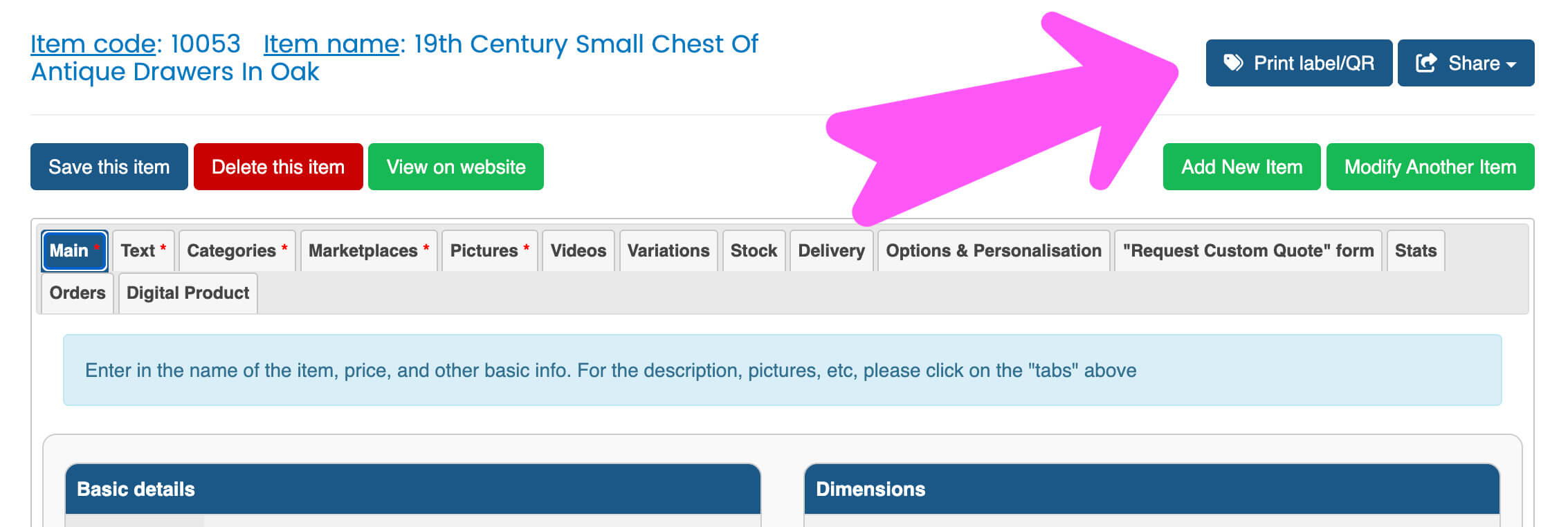
Step 1: Log in to website manager / stock management system
Step 2: Select the item you'd like to print labels for.
Step 3: Press the "Print label/QR" button
Step 4: Choose the size you want.
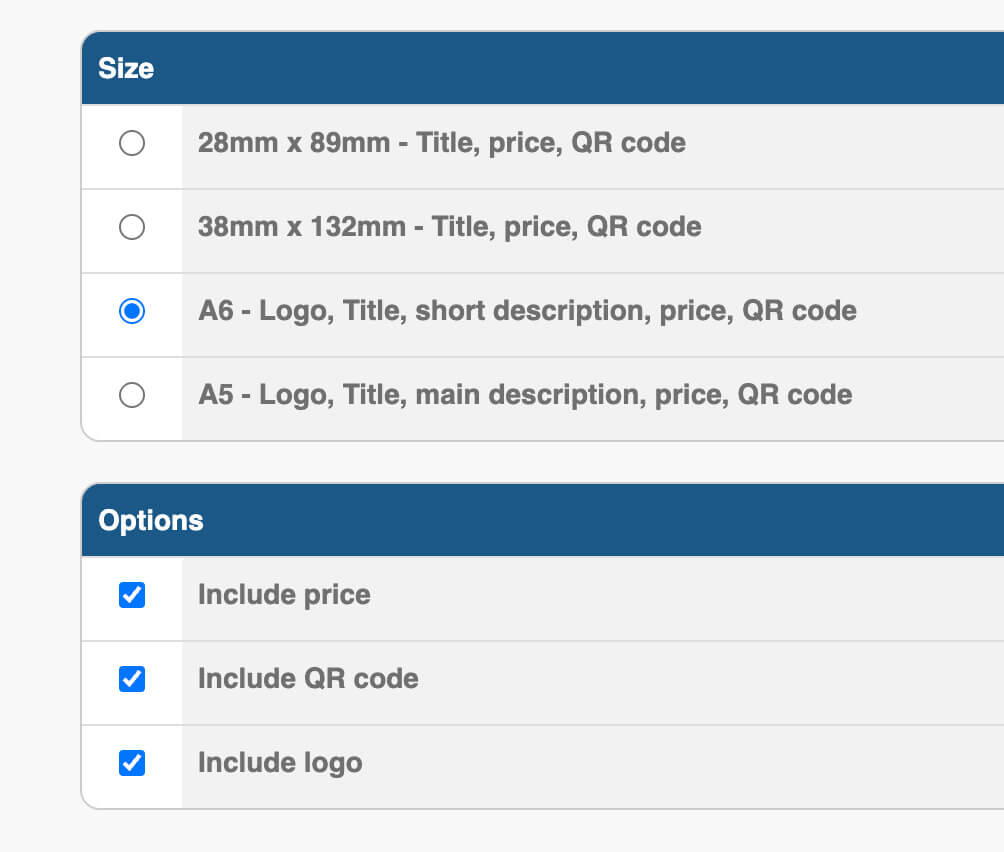
Step 5: Print.
That's genuinely it. The details, the pricing and the QR code are all pulled straight from your website, so everything matches what's online.
Which brings a rather useful side effect: your prices and descriptions in the shop or on the stand are always in step with your website, because they come from the same place.
Where militaria dealers are using this
In a shop or showroom
The most obvious use. Every item gets a clean, consistent label or card with a scannable link to the full details. Customers browsing on a quiet afternoon can dig into the detail themselves without having to ask you about every single piece.
It also works beautifully in a window display, where a customer looking in after closing time can scan the code and see the item there and then.
At militaria fairs
This is where a lot of our dealers will get the most out of it.
Visitors to a fair see hundreds of items in a day. Even the ones they genuinely liked blur together by the time they get home.
A card with a QR code gives them a way to capture the item properly, in seconds, with no effort from either of you.
For interior designers and the trade
Designers rarely buy on the spot. They're gathering options for a client and they need images, dimensions and a link they can drop into a presentation or an email.
A QR code hands them all of that instantly.
At home and in storage
A quieter benefit, but worth mentioning: labelling items in your own storage with a scannable code makes finding and checking stock a great deal easier.

Use it alongside the app for even better results
If you're exhibiting at a fair, this works particularly well in combination with the sharing feature in our dealer app.
The QR code lets a customer capture the item for themselves.
The app lets you capture them, by emailing the item details across and adding their email address to your mailing list at the same time.
One works in their favour. One works in yours. Together they cover both sides of the same conversation.
We wrote about the app side of this in detail here: How to turn fair visitors into paying customers with our mobile app
Our advice for your next fair is simple: print your cards before you go, and have the app open on your phone while you're there.
A few practical tips
1) Print your labels the day before a fair, once your stand stock is finalised, so everything is up to date.
2) Use a heavier card stock for the A6 and A5 cards. It costs very little and makes a noticeable difference to how your stand looks.
3) Test one QR code before you print fifty. Scan it with your own phone so you can see exactly what the customer sees.
4) Don't hide the QR code away. Position the card so the code is easy to scan without anyone having to pick the item up.
5) Reprint when you reprice. Because everything is pulled from your website, an updated label is only a few clicks away.
More sizes on the way
We've started with the four sizes above because they cover the vast majority of what dealers have asked us for.
But we'll be adding more.
If there's a particular size or layout that would suit the way you display your stock, let us know. Our features tend to come from exactly this sort of feedback from dealers, and this one is no exception.
Final thoughts
A price label is a small thing. It's easy to think of it as an afterthought.
But it's often the last thing a customer looks at before they decide whether to ask you a question, walk away, or remember you at all.
Making that label work harder costs you nothing and takes a few seconds.
Give your customers a way to take the item home with them, even when they're not ready to buy it yet.
Not yet on one of our websites? Contact us to find out more about what we offer for militaria dealers.


